Back to Projects

Mastermind

Classic code-breaking puzzle game with modern accessibility features and customization

Role: Full-Stack Developer
Timeline: December 2025 - Present
Status: Live
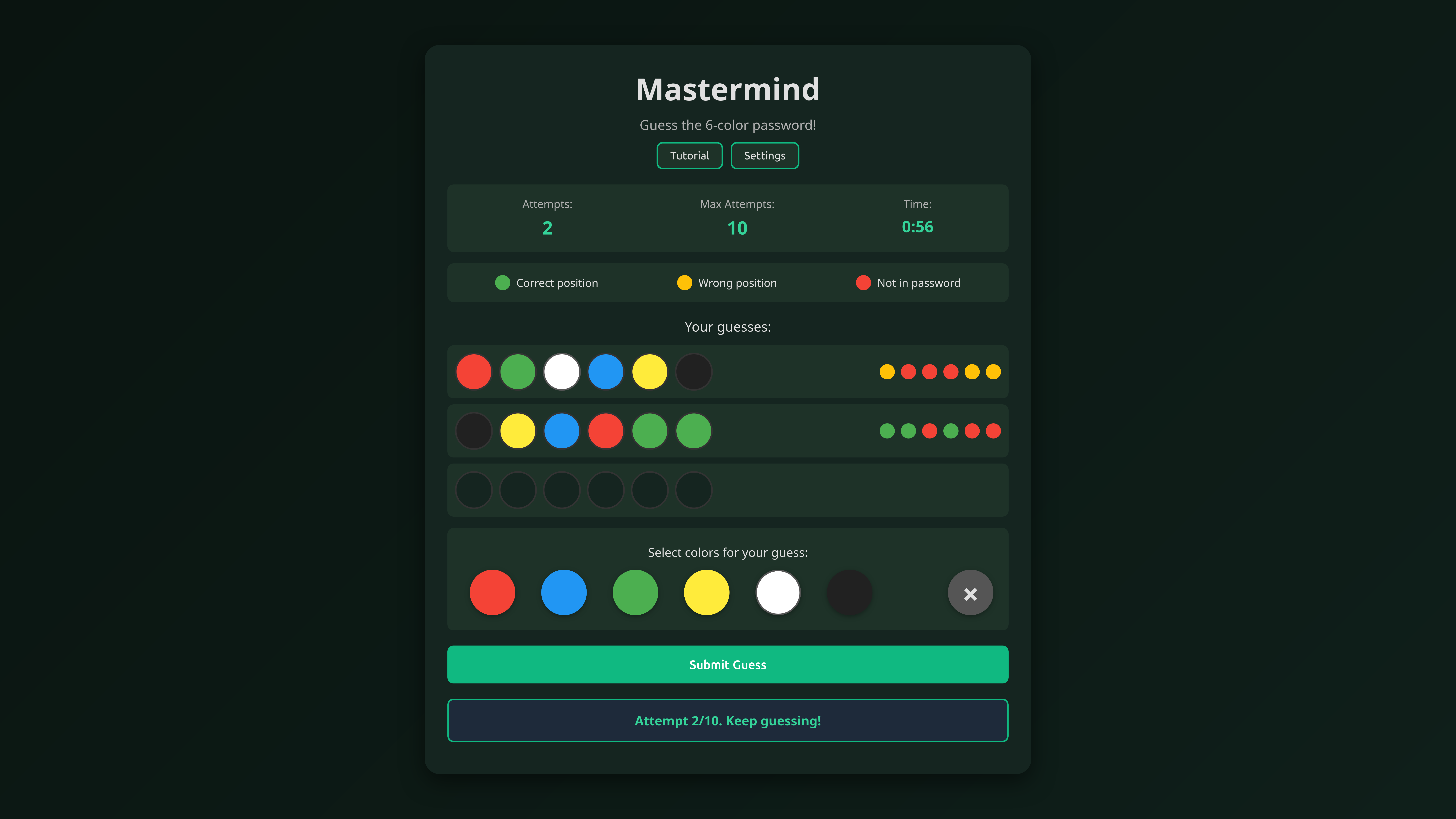
Mastermind project screenshot

01. Overview

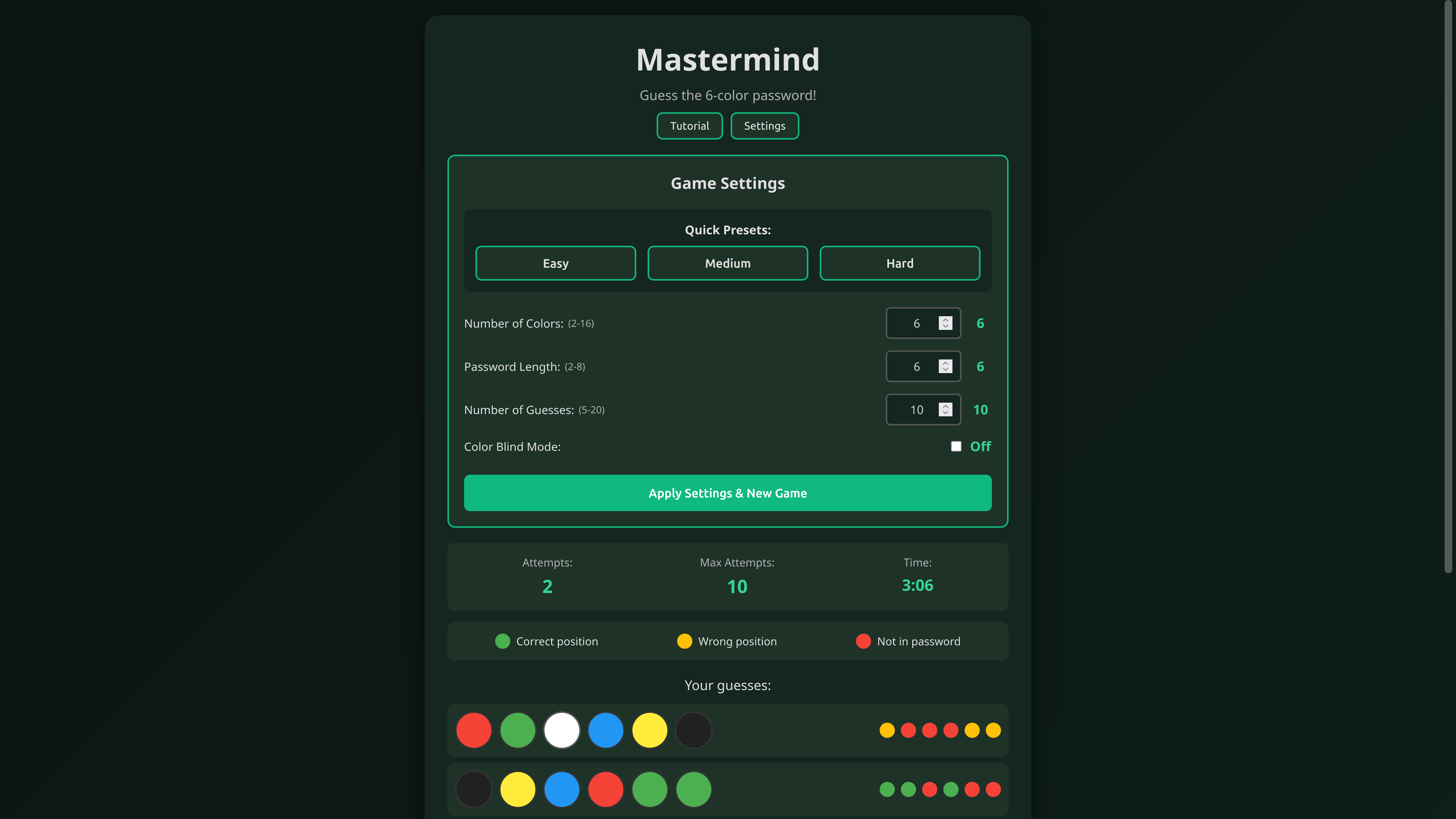
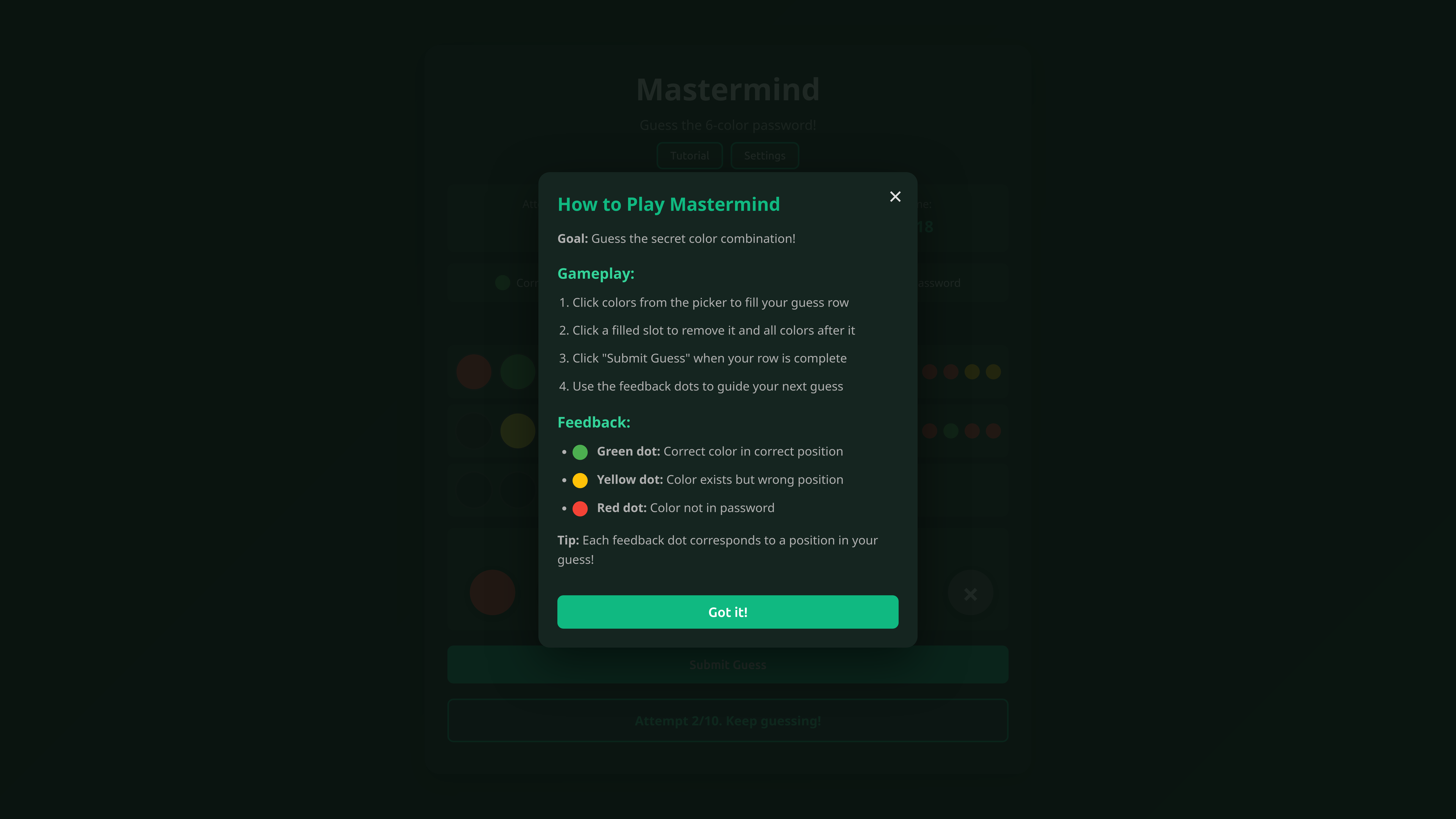
Mastermind is a classic code-breaking puzzle game built with vanilla JavaScript, featuring fully customizable difficulty settings and an intuitive color-based code-breaking experience. Players must deduce the secret color combination using strategic guesses and visual feedback. The game supports up to 16 colors, customizable password lengths, and adjustable difficulty levels.

The project was built to demonstrate pure JavaScript skills without frameworks, focusing on clean code, accessibility, and user experience. It includes features like color blind mode, timer tracking, shareable results, and a comprehensive tutorial system, making it accessible to a wide range of players.
02. Problems & Challenges

Building a polished game with vanilla JavaScript presented several challenges:

  • Game Logic Complexity: Implementing the Mastermind scoring algorithm correctly was tricky. The game needs to distinguish between correct colors in correct positions versus correct colors in wrong positions, and handle duplicate colors correctly.
  • State Management: Managing game state (current guess, previous guesses, game status) without a framework required careful organization. I needed to ensure state updates triggered UI updates correctly.
  • Accessibility: Making the game accessible to color blind users required more than just adding a mode - I needed to ensure the entire game experience worked well with alternative visual indicators.
  • Customization System: Building a flexible difficulty system that allows players to customize colors, password length, and maximum attempts required a well-designed configuration system that didn't break existing functionality.
  • UI/UX Polish: Creating smooth animations, intuitive interactions, and clear visual feedback without a CSS framework required writing a lot of custom CSS and JavaScript for animations.
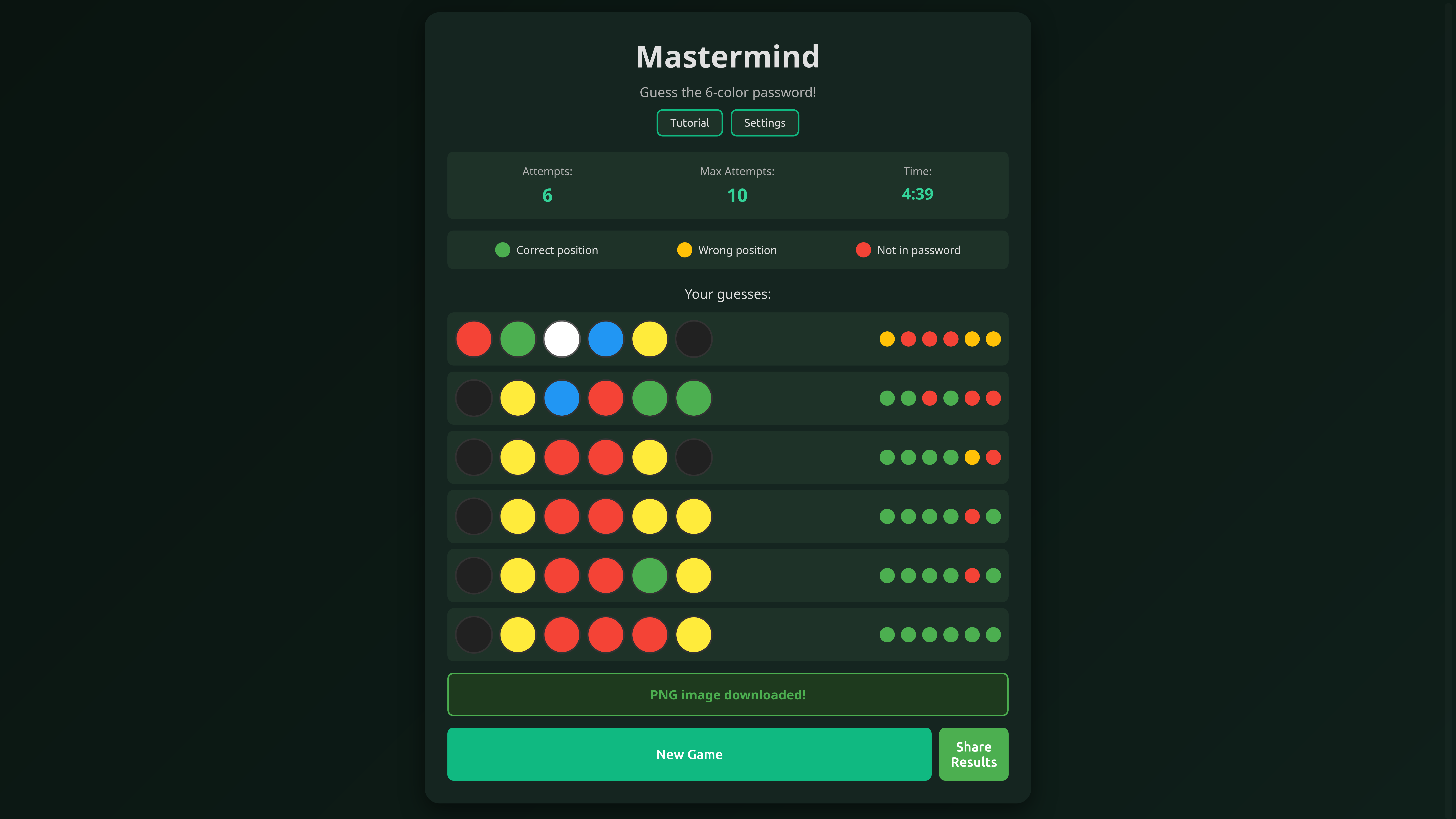
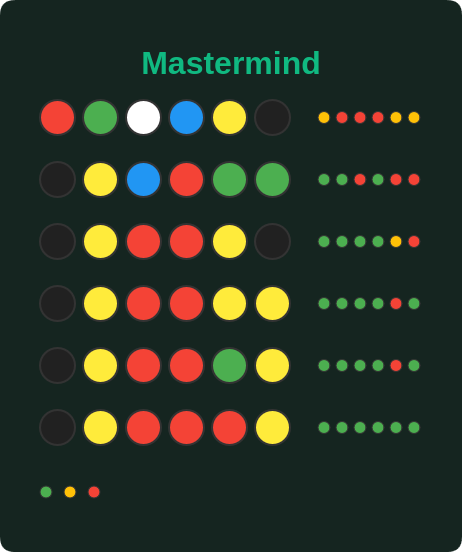
  • PNG Share Functionality: Implementing the share feature that generates downloadable PNG images of game results required working with Canvas API, calculating precise dimensions, and handling color rendering for both normal and color blind modes.
  • Tutorial System: Creating an interactive tutorial that teaches the game without being intrusive required careful UX design and state management.

Critical Challenge: Mastermind Scoring Algorithm

The most complex challenge was implementing the scoring algorithm correctly. Mastermind scoring is deceptively simple to describe but tricky to implement: you need to count exact matches (correct color in correct position) and color matches (correct color in wrong position), but you can't count the same peg twice. Getting this algorithm right required careful testing and edge case handling.

03. Solutions & Implementation

I addressed these challenges through careful algorithm design and thoughtful UX implementation:

  • Two-Pass Scoring Algorithm: Implemented a two-pass algorithm for scoring. First pass counts exact matches and marks them, second pass counts color-only matches from unmarked pegs. This ensures accurate scoring even with duplicate colors.
  • Event-Driven State Management: Used an event-driven approach where state changes trigger UI updates. Created a centralized game state object with methods that update both state and UI, ensuring consistency.
  • Dual Feedback System: For color blind mode, implemented both color and symbol-based feedback. Players can see both the color and a unique symbol for each color, making the game fully playable without color vision.
  • Configuration Object Pattern: Used a configuration object pattern for game settings. All customizable options are stored in a single object that's validated and applied consistently throughout the game.
  • CSS Animations & Transitions: Used CSS transitions and keyframe animations for smooth UI interactions. JavaScript only triggers class changes, letting CSS handle the animations for better performance.
  • Canvas-Based PNG Generation: Implemented a share feature that generates downloadable PNG images of game results using the Canvas API. The system calculates board dimensions dynamically, renders colors and feedback dots accurately, and includes color blind symbols when enabled.
  • Progressive Tutorial: Built a step-by-step tutorial that highlights specific UI elements and explains concepts incrementally. Players can skip or replay sections, and the tutorial state is saved.

Mastermind Scoring Algorithm

Here's the two-pass scoring algorithm I implemented:

script.js
// Get feedback for each color position
function getFeedback(guess, password) {
    const feedback = new Array(passwordLength).fill('not-found');
    const passwordCopy = [...password];
    const guessCopy = [...guess];
    
    // First pass: mark correct positions
    for (let i = 0; i < passwordLength; i++) {
        if (guessCopy[i] === passwordCopy[i]) {
            feedback[i] = 'correct';
            passwordCopy[i] = null; // Mark as used
            guessCopy[i] = null; // Mark as used
        }
    }
    
    // Second pass: mark wrong positions
    for (let i = 0; i < passwordLength; i++) {
        if (guessCopy[i] !== null && feedback[i] !== 'correct') {
            const index = passwordCopy.indexOf(guessCopy[i]);
            if (index !== -1) {
                feedback[i] = 'wrong-position';
                passwordCopy[index] = null; // Mark as used
            }
        }
    }
    
    return feedback;
}

04. Key Learnings

This project taught me valuable lessons about vanilla JavaScript and game development:

  • Vanilla JavaScript Mastery: Building without frameworks forced me to understand JavaScript fundamentals deeply. I learned about closures, event handling, DOM manipulation, and state management patterns.
  • Algorithm Design: Implementing the scoring algorithm taught me the importance of breaking complex problems into steps and testing edge cases thoroughly.
  • Accessibility First: Building color blind mode from the start taught me to think about accessibility as a core feature, not an add-on. This mindset improves all my projects.
  • User Experience Design: Creating smooth animations, clear feedback, and intuitive interactions taught me the importance of polish in user-facing applications.
  • Configuration Management: Building a flexible configuration system taught me about designing for extensibility and maintainability.
  • Canvas API & Image Generation: Working with the Canvas API to generate shareable PNG images taught me about 2D rendering, coordinate systems, and programmatic image creation. This was particularly challenging when ensuring color blind symbols rendered correctly.

Major Takeaway

The biggest lesson was understanding that you don't always need frameworks to build great applications. Vanilla JavaScript, when used well, can create polished, performant applications. However, this project also taught me when frameworks are valuable - they provide structure, patterns, and tools that can speed up development. The key is understanding both approaches and choosing the right tool for the job.

05. Tech Stack

Frontend

JavaScript HTML5 CSS3

Features

Canvas API CSS Animations Accessibility

No Dependencies

Vanilla JS Pure CSS

06. Results & Impact

Mastermind successfully demonstrates vanilla JavaScript capabilities:

  • Created a fully functional game with complex logic using only vanilla JavaScript
  • Implemented comprehensive accessibility features including color blind mode
  • Built a flexible customization system allowing players to tailor difficulty to their preference
  • Created smooth animations and polished UI without any CSS frameworks
  • Demonstrated ability to build complete applications from scratch

The project showcases my ability to build polished, accessible applications using only fundamental web technologies. It demonstrates that I understand JavaScript deeply enough to build complex applications without relying on frameworks, while also showing my commitment to accessibility and user experience.

Screenshot